
Every marketing team or business owner I talk to has run a free SEO site audit at some point. They paste their URL into a tool, get back a color-coded report full of scores and red flags, and then aren’t sure what any of it actually means for their business.
That is the problem with most free website audit SEO tools, they are only good at identifying technical issues. The tools tend to be terrible at revealing to you which ones matter, what order to fix them in, and what the revenue impact of fixing them actually is.
This guide covers the best free SEO audit tools available in 2026 and, more importantly, what a real SEO site audit report should include that most tools won’t give you.
What the best free SEO analysis tools actually measure
Before comparing tools, it is worth understanding what SEO audits actually look for. A thorough SEO audit covers three layers:
A technical SEO audit covers how well search engines can crawl and index your site. This includes site speed, Core Web Vitals, crawlability, indexation errors, broken links, duplicate content, and schema markup.
An on-page SEO audit covers how well your pages are optimized for target keywords. Title tags, meta descriptions, heading structure, content quality, internal linking, and keyword alignment all fall here.
An off-page authority audit covers your backlink profile, domain authority, and how your site compares to competitors in your space.
Most free SEO audit tools only cover the technical layer. Very few give you meaningful insight into the other two and almost none show you which issues are actually costing you traffic and revenue.
The best free SEO audit tools in 2026
Google Search Console
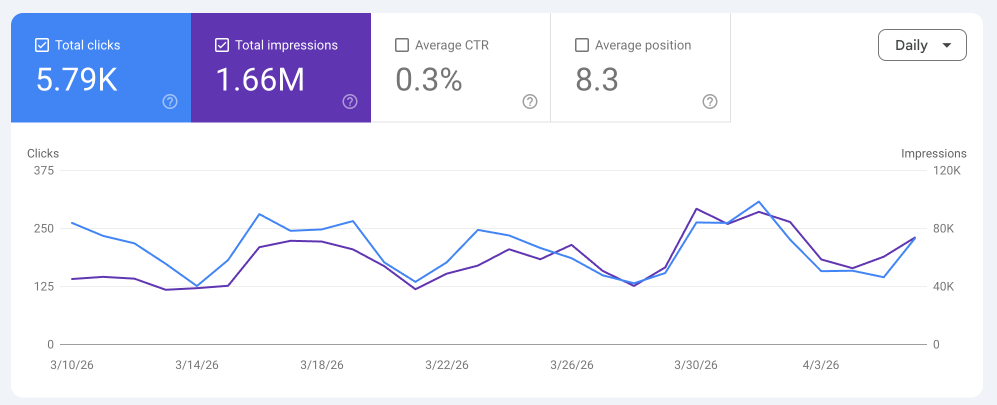
The best free SEO audit tool is built by Google. Search Console shows you exactly how Google sees your site: which pages are indexed, which have errors, how your Core Web Vitals score, and which queries are driving clicks.
But, you must have your site verified in GSC to use it. You’ll only be able to see data from the day you installed the tracking code onward. If you don’t have Search Console verified, here is a guide from Google on how to get it done.
Best for: Understanding indexation issues, manual penalties, and actual search performance data.
Limitation: It only shows you your own site. There’s no competitor comparison and limited keyword data.
Screaming Frog (Free Version)
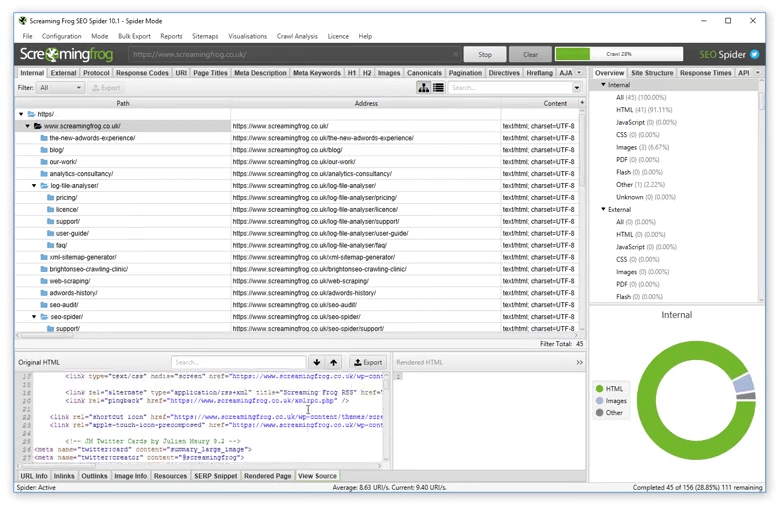
The free version of Screaming Frog crawls up to 500 URLs and surfaces technical issues including broken links, redirect chains, duplicate content, missing meta tags, and page speed problems.
Screaming Frog can be pretty technical for the average user. They have a beginner’s guide that can help you learn the basics and get started.
Best for: Technical SEO health checks on smaller sites.
Limitation: 500 URL cap makes it impractical for larger sites. No backlink data.
Ahrefs Webmaster Tools (Free)
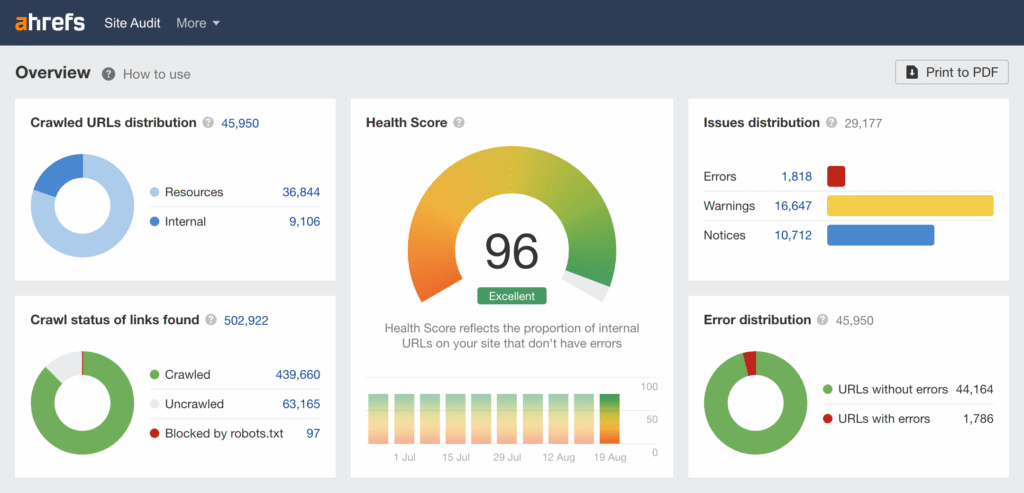
Ahrefs’ free tier gives you ongoing site auditing, backlink data for your own domain, and keyword rankings. For a free tool, it is fairly comprehensive.
Like most free options, Ahrefs will try to entice you to pay for a subscription and unfortunately, it can be expensive. The paid version is best if you are a marketer that manages more than one site or a company that owns multiple websites. The free version works just fine for a one website business.
Best for: Combining technical auditing with backlink monitoring.
Limitation: Competitor data requires a paid subscription.
Semrush Free Account
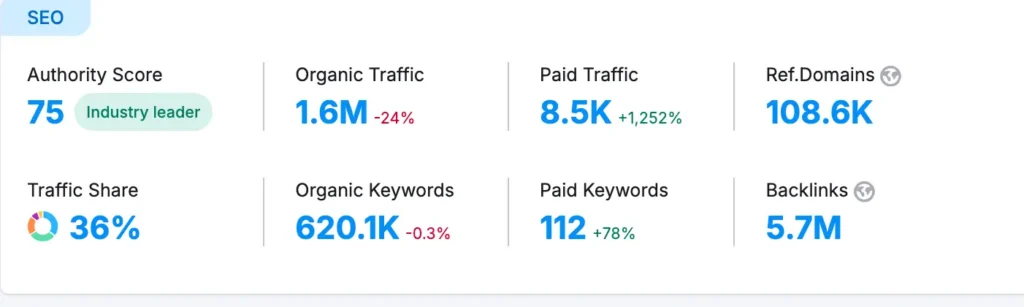
Semrush offers a limited free account with access to their site audit tool, keyword data, and backlink checker. You get 10 audit reports per day and data on up to 100 pages.
The audit reports aren’t as comprehensive with the free subscription, as you probably expected. It’s really best for looking up competitor data since the traffic and keyword data is more accurate using Google Search Console for your own website. Remember, it’s only an estimate and a good place to see benchmarks but not necessarily a tool to help you create goals.
Best for: Getting a snapshot of technical issues alongside keyword and competitor data.
Limitation: The free tier is genuinely limited and you will hit the cap quickly on any site with real traffic.
Google PageSpeed Insights
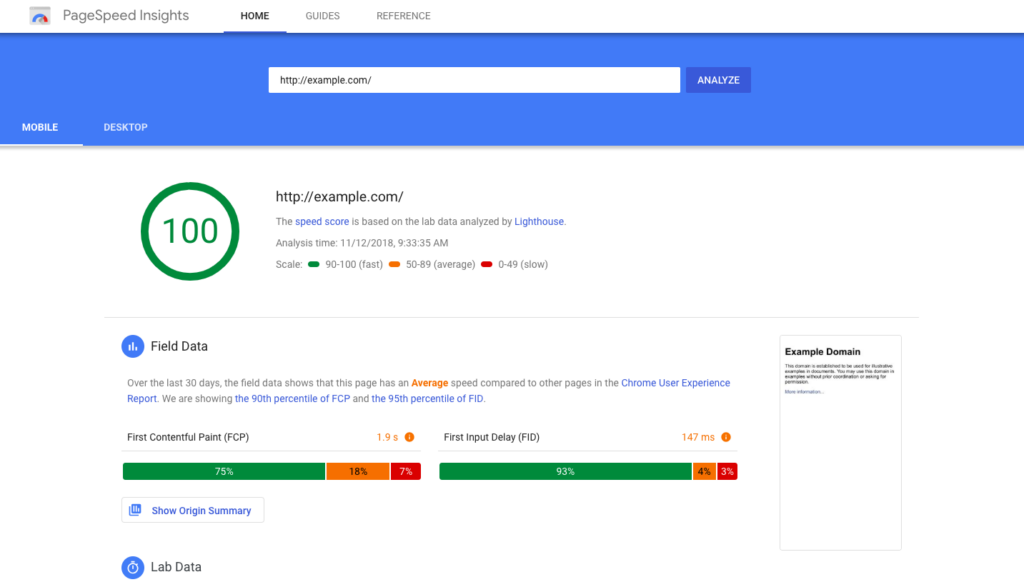
Not a full audit tool, but essential for understanding Core Web Vitals and page speed, both of which are direct ranking factors. Run every key page through this, not just your homepage.
While there is a Core Web Vitals report in Google Search Console, Pagespeed Insights gives a lot more data points and helps you to understand what exactly could be slowing your website down. The recommendations are pretty technical but most webmasters will know what to do with the data.
Best for: Diagnosing speed issues and Core Web Vitals failures.
Limitation: Single page at a time, no site-wide view.
What free SEO audit tools miss
It’s important that I be honest here. The best free SEO audit tools are useful starting points, but they all share the same fundamental limitation. They show you a list of issues but do not tell you which ones are costing you the most.
I have reviewed hundreds of sites where the tools flagged dozens of critical issues and the actual revenue impact was concentrated in two or three of them. Fixing the rest would have made the score look better without actually moving the needle on traffic or, more importantly, leads.
A real SEO site audit report needs to answer different questions. Which keyword gaps are your competitors ranking for that you are not? Which pages have the highest potential to rank with targeted optimization? Where is organic traffic dropping off and why? What is the estimated traffic value of fixing each issue? Which technical fixes will have the most impact given your specific site architecture?
No free website audit SEO tool can answer those questions reliably because they require context about your business, your market, and your competitors.
What a real SEO site audit report looks like
A professional SEO audit report is not just a color-coded score. It is a prioritized action plan built around your specific business goals.
Here is what my custom SEO audit covers
- Technical health check: A full crawl of your site identifying all indexation issues, crawl errors, redirect problems, duplicate content, and site speed bottlenecks, with each issue ranked by impact and effort to fix.
- Keyword gap analysis: A comparison of what you rank for versus what your top competitors rank for, identifying the highest-value opportunities you are currently missing.
- Content quality audit: A review of your existing pages against search intent, identifying where thin content, keyword cannibalization, or poor optimization is limiting your rankings.
- Backlink profile review: An analysis of your current link profile including link comparison against competitors, lost links, and opportunities to build authority in your industry.
- Organic revenue review: A deep-dive analysis into current ROI from organic and AI search, and missed opportunities.
- Competitor SEO benchmarking: A review of top competitors to identify gaps, opportunities and weaknesses.
- Prioritized fix list: Every finding ranked by its likely impact on organic traffic and revenue, so you know exactly what to fix first.
The output is a clear, jargon-free report your team can act on immediately, not a dashboard full of scores that require an SEO expert to interpret.
How to use free tools before investing in a full audit
If you are not ready to invest in a professional audit yet, here is how to get the most out of the free SEO audit tools listed above.
Start with Google Search Console. Fix any indexation errors and manual actions first, these are confirmed issues directly from Google.
Run a Screaming Frog crawl on your key pages. Focus on pages that should be driving traffic but are not. Look for missing title tags, duplicate content, and broken internal links.
Check your Core Web Vitals in PageSpeed Insights. If your LCP is above 4 seconds or your CLS score is failing, these are likely suppressing your rankings site-wide.
Use Ahrefs Webmaster Tools to monitor your backlink profile. Lost links and toxic links can quietly drag down your authority without any obvious warning signs.
Then, once you understand the landscape, book a professional audit to find out which of those issues are actually costing you traffic and what fixing them is worth to your business.
Is a free SEO site audit enough?
For a small site with modest traffic goals, the free tools above can get you surprisingly far. Google Search Console alone will surface most of the critical issues that matter.
For any business where organic search is a meaningful revenue channel (or should be) a professional SEO site audit report is worth the investment. Not because the free tools are bad, but because knowing which issues to fix in which order is where the real value is.
I have performed these audits for companies that tripled their organic traffic in six months without spending a dollar on ads. The issues were there in the free tools the whole time. What was missing was the prioritization.
Sample SEO audit report from Megan